Skip to content
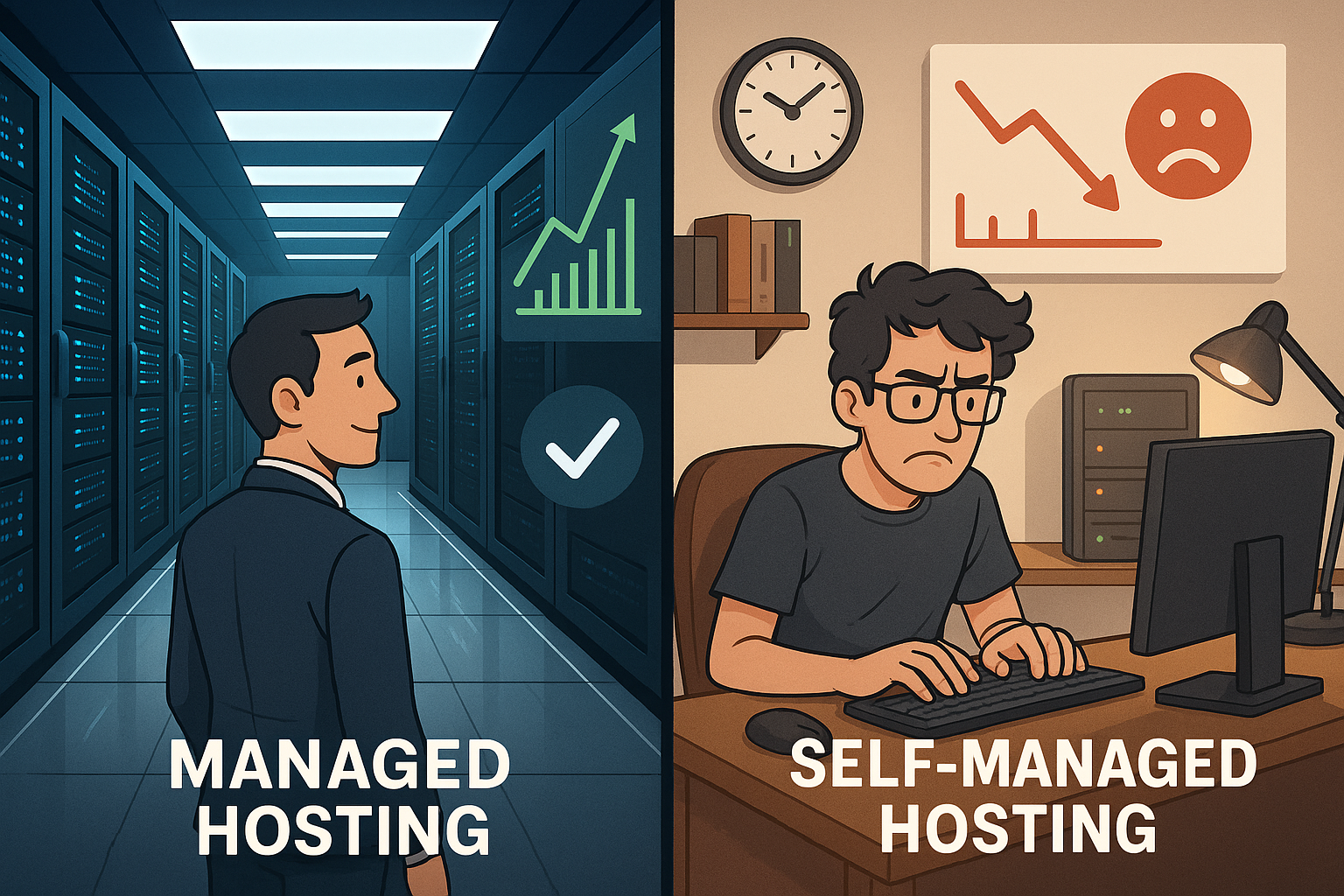
An honest hosting comparison shows that managed hosting disadvantages particularly noticeable in terms of price, control and commitment. I explain clearly when managed makes sense, when self-administration wins and how you can minimize costs, risk and Flexibility weigh things up wisely.
Key points
- CostsSignificantly higher monthly fees, often underestimated TCO.
- ControlRestricted root rights and fixed policies slow down special requests.
- DependenceVendor lock-in makes switching difficult, migrations cost time and money.
- ComfortUpdates, security and monitoring reduce the workload, but cost autonomy.
- AlternativesUnmanaged or hybrid offer freedom with calculated responsibility.

Separate terms cleanly
I make a strict distinction between managed hosting (IaaS/PaaS with operational responsibility of the provider), managed CMS offerings (e.g. WordPress-only), classic Root-servers (unmanaged) and container/PaaS platforms with Git-based deploy. Many misunderstandings arise because SLAs, update cycles and depth of support vary greatly depending on the model. Only when it is clear whether the web server, database, caching, WAF and deployment are included in the scope of services does the decision become comparable.
Realistically assess costs
Many underestimate the real Costs of managed hosting because convenience outweighs costing. An unmanaged VPS starts at around €10-50 per month, while a comparable managed server is often between €100-500 per month. The surcharge covers operating system maintenance, security, backups and monitoring, but drives up the annual TCO upwards considerably. I also factor in staff time, escalations and any upgrade packages, because add-ons such as extended backups or premium support quickly add up. If you want predictability, calculate the fixed monthly fee, but also add future additional costs due to growth, extra storage or SLA levels.
In practice, I look at the following hidden cost drivers that can tip budgets:
- Traffic/EgressOutgoing data traffic, CDN costs or peak load surcharges.
- MemorySnapshots, long-term backups, object storage and I/O-bound upgrades.
- LicensesDatabases (e.g. commercial editions), panel or antivirus licenses.
- Support levels24/7, shorter response times, dedicated TAM/CSM packages.
- MigrationOne-off costs for onboarding, data imports, cutover support.
- ComplianceAdditional services for audit logs, archiving, penetration tests.
I never make price comparisons just per month, but per release frequency and per expected traffic level. This allows me to recognize when the price curve of Managed starts to eat up the efficiency gains.
Understanding control and flexibility
Managed providers often limit root access, allow certain Configurations and set fixed update cycles. This helps beginners, but limits admins who need special services, their own daemons or kernel parameters. Before signing a contract, I check exactly which modules, PHP versions, database engines and caching layers are available. If central modules are missing, this will noticeably slow down future features, deployments and performance tuning. This guide helps me to get an in-depth overview of the advantages and disadvantages: Advantages and restrictions.
Also important are:
- Change windowWho determines maintenance times and how are productive deployments protected?
- CompatibilityAre containers, sidecars, message brokers or observability stacks running?
- Configuration paths: Are Nginx/Apache includes, systemd units or sysctl changes allowed to be set?
- Rollbacks: Are there quick reboots in the event of faulty updates from the provider?
The clearer the boundaries are, the better I can align product and roadmap decisions with them at an early stage.

Security and compliance in practice
I separate basic protection (hardening, patches, firewalls) from regulatory requirements. The decisive factors are data location, order processing contract, deletion and retention periods as well as audit-proof Audit-logs. For sensitive environments, I expect strict SSH policies, MFA, key rotation, secret management and encrypted backups. Without regular restore tests, backups only provide a sense of security. ISO certifications and penetration tests are helpful, but are no substitute for a product-related risk analysis.
Dependency and vendor lock-in
Comfort generated DependenceIf the prices, response times or roadmap no longer fit, the change is difficult. Proprietary panels, special backup formats or customized stacks make migration more difficult. I check early on how I can export data, configurations and images and whether standardized tools such as rsync, Ansible or container images are accepted. Without a proper exit plan, there is a risk of long downtimes, double hosting costs and additional work with DNS, certificates and Firewall-policies. Those who make provisions here buy themselves the freedom to change strategy at a later date.
My exit plan blueprint includes:
- InventoryCompletely document services, ports, cronjobs, secrets, certificates.
- Data pathsDefine dump/export routines for databases, media, queues and caches.
- Infrastructure as Code: Describe the target environment with IaC to make relocations reproducible.
- ProberestoreTest migration to a sandbox with real data volumes.
- RunbooksCutover checklist for DNS, TLS, health checks, warmup caches and rollback.
For whom managed makes sense
If there is a lack of internal expertise, managed offers deliver noticeable ReliefPatches, monitoring, malware checks and reliable on-call services save time. I use Managed when a small team wants to deliver concentrated releases and needs to limit operational risks. Stores with peak sales, projects with fixed launch dates or non-profits without an admin team often benefit. Anyone running WordPress or WooCommerce also compares the differences to shared environments: Managed vs. shared hosting. It remains important: Convenience must not be allowed to override necessities such as logs, staging, SSH and caching options.
I also look at team maturity levels: are there on-call services, clear on-call rules, Runbooks and an incident review format? Without these basics, managed only shifts responsibility, but does not automatically reduce risk. Those who establish them can operate stably even with unmanaged - those who don't have them often gain a disproportionate amount of stability with managed.
Unmanaged: freedom with responsibility
Unmanaged servers give me full Freedom, But they demand discipline in patch management, hardening and incident response. I schedule updates, audits, backups, monitoring and recovery on a binding basis. Without processes, the balance sheet quickly tips, even if the monthly fee is lower. If you build up operational routines, you get more performance out of your resources and reduce latency with tailored services. I use a compact decision-making aid here: Web server checklist.
My minimum setup for unmanaged includes:
- Baseline hardening (SSH, firewall, Fail2ban, secure defaults, no open admin interfaces).
- Automated patches with staggered staging rings and rollback plan.
- Centralized logging, metrics, alarms with escalation chains.
- Regular restore tests and offsite backups.
- Configuration management (Ansible or similar) for reproducible setups.
Clever use of hybrid solutions
Semi-managed packages combine basic operations such as OS updates and security with your own Configuration at application level. I retain root access for deployments, special modules or observability stacks, while the provider takes over core maintenance. This reduces downtime due to routine errors and gives me scope for tuning. Anyone with changing requirements benefits from this middle ground without having to set up a complete SRE team. It remains important to clearly regulate responsibilities contractually so that there are no gray areas in the event of an error.
Comparison at a glance
The following table shows typical differences that I regularly see and evaluate in projects. It is suitable as a quick Reference before the contract is signed and saves time during the evaluation.
| Aspect | Managed | Unmanaged | Semi-Managed |
|---|---|---|---|
| Monthly costs | approx. 100-500 € | approx. 10-50 € | approx. 50-200 € |
| Setup effort | Low | High | Medium |
| Maintenance & Patches | Provider | Personal responsibility | Shared |
| Security | Standardized | Individual | Core standardized |
| Root access | Limited | Full | Partial |
| Migration | Often costly | Plannable | Medium |
| SLA/Support | 24/7 options | Personal contribution | Extended |
| Target group | Teams without ops | Admins, dev teams | Mixed teams |
I look at the TCO always over 24 months, because one-off costs, migration requirements or future add-ons become visible. If you plan in a calculated way, you will save more in the end than with spontaneous discounts or short contract terms.

Performance, security, SLA concrete
Many managed offers bring predefined Caching-layer, WAF rules and DDoS protection. This provides solid baseline security, but often does not achieve the best possible latency without individual tuning. I therefore check whether Redis, Opcache, HTTP/2 or HTTP/3 are available and how log access and metrics are provided. Restrictive SSH policies, key management and audit-proof audit logs are important for sensitive workloads. A credible SLA is only effective with clear credits, escalation paths and realistic response times.
I define SLOs (e.g. 99.9 % availability, P95 latency) and measure them independently using synthetic checks and RUM data. This is the only way to objectively prove SLA violations. It is also important how Incident-communication is running: status page, RCA time window, access to raw logs. Without these building blocks, the SLA remains a marketing promise.
Planning migration and scaling
I start every hosting project with a Exit strategy, so that growth or a change of provider can be planned. Those who use containers, IaC and CI/CD early on reduce dependencies on proprietary panels. Scaling horizontally only works if sessions, caches and media are cleanly decoupled and storage follows suit. I document ports, services and cron jobs so that a change is possible without guesswork. In this way, the infrastructure remains adaptable, even if loads, teams or budgets change.
For the database, I envisage read replicas, write sharding only when clearly necessary and a structured query review process. Zero-downtime deployments (Blue/Green, Canary) reduce migration risks and provide scope for rollbacks. With managed, I assume that health checks, sticky sessions and TLS termination can be configured cleanly.

Concrete calculation examples
Example 1: A startup chooses a managed server for €250 per month and does without its own server. Admin. It pays €6,000 over 24 months, plus €1,200 for storage and backup upgrades. The total cost is €7,200, but the risk of downtime due to routine errors is reduced. Example 2: A team operates an unmanaged VPS for €30 per month, but invests 6 hours of admin work per month at €60 per hour internally. In 24 months, this adds up to €720 hosting plus €8,640 working time, a total of €9,360 - for which the team receives a maximum of Control and finely tuned performance.
Example 3: An organization with seasonal peaks uses Semi-Managed for €120 per month, scales up temporarily during peak times (€180) and scales down at other times. Over 24 months, €2,880 base + €1,080 peaks + €600 for additional backups, totaling €4,560. The mix reduces risks due to patch errors, but leaves enough leeway for load optimization.
I also calculate break-even points: At what internal hourly rate acceptance and change frequency is unmanaged no longer worthwhile? At what point do premium support and add-ons eat up the advantage of managed? This sensitivity analysis prevents gut decisions and strengthens budget planning.
Decision questions for clarity
I'll answer five points first: How much Time Can I realistically invest in the business? What are the consequences of failure for revenue and image? What compliance requirements affect logging, access and backups? How much will features and traffic change in the next 12-24 months? What exit option will I implement if prices rise or the provider downsizes?
Pragmatic checklist before concluding a contract
- What specific workloads, data classes and availability targets do I have?
- Are there test accounts to check deployments, logs, backups and restores in real life?
- Which SLA-Are key figures, escalation paths and credits regulated in a binding manner?
- What do update and maintenance windows look like, who controls them?
- Are root/SSH, staging environments, cron jobs and caching options available?
- How do I export data, configurations, certificates - including schedule and downtime risk?
- What are the costs for peaks, support upgrades, more storage, IPs, traffic?
- How are security incidents handled: reporting deadlines, RCA, forensics, audit logs?
- Is the location suitable (data protection, latency), and is there an AV contract and clear order processing?
- Are there any references or load tests that correspond to my order of magnitude?
Typical pitfalls and countermeasures
- Blind trust in „managed“I demand concrete service descriptions instead of buzzwords.
- Unclear responsibilitiesA RACI matrix prevents gray areas in the incident.
- No test restoreBackups only apply if restore times and quality are measured.
- Underestimated data migrationI plan early delta sync, read-only phase and rollback.
- Over-engineeringI start minimally, measure and scale in a targeted manner - instead of building everything too complex in advance.
- Vendor features as lock-inI check open standards and portability before using proprietary add-ons.

30-day procedure for provider selection
- Day 1-5Collect requirements (SLOs, compliance, budget, roadmap), prioritize risks.
- Day 6-10Form shortlist, request detailed service descriptions and SLAs.
- Day 11-15Set up test accounts, measure deployments, logs, backups/restores and latencies.
- Day 16-20Simulate cost model (peaks, growth, support upgrades, egress, storage).
- Day 21-25Exit sample: Export, IaC setup in target environment, design cutover plan.
- Day 26-30Decision with scorecard and risk premiums, check contract, fix RACI.
My clear verdict
Managed hosting is worthwhile if I want to reduce operating risks and Comfort is more important than maximum design freedom. Those who need special stacks, deep optimization and full root rights are better off with unmanaged or semi-managed in the long term. The biggest disadvantages of managed hosting remain the price level, limited control and being tied to the provider's processes. However, with proper costing, an exit plan and clear responsibilities, any model can be used sustainably. I therefore make decisions based on goals, capabilities and planning periods - not on advertising promises, but on tested priorities and measurable results. Benefit.