
Managed vs Self-Managed decides how much Control, effort and risk you plan for in your day-to-day business. In this post, I'll rank the choice between managed vs self-managed web servers based on cost, Securityscaling and support for different project sizes.
Key points
I'll briefly summarize the most important differences before going into more detail and giving specific recommendations so that you can quickly clear can decide.
- ExpenditureManaged takes the pressure off, self-managed takes time
- ControlSelf-managed offers root, managed limited
- SecurityManaged patches proactively, self-managed own services
- ScalingManaged supports, self-managed requires planning
- BudgetManaged higher monthly costs, self-managed more own costs

What is a managed web server?
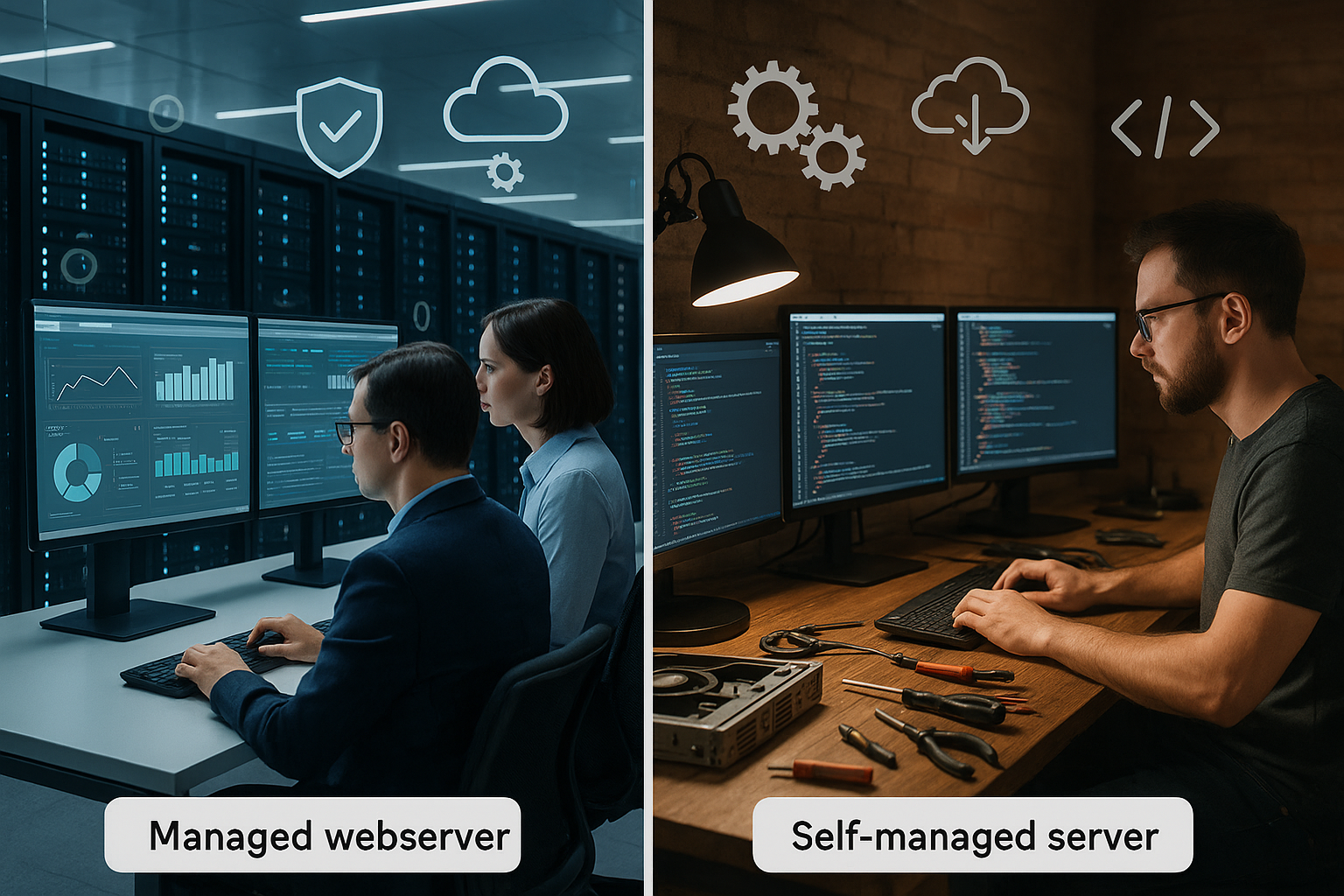
With a managed web server, the provider takes over the daily Maintenanceincluding operating system updates, security patches, backups and monitoring. I focus on content, applications and sales, while a team of experts identifies and fixes faults, often around the clock. This approach saves time and reduces operational risks that would otherwise lie with me, such as errors after updates or gaps due to forgotten patches. Managed hosting is particularly useful if I don't have any admin resources or if downtimes cause considerable costs. You can find a practical overview of strengths here: Advantages of managed serverswhere performance and efficiency become tangible.
What is a self-managed web server?
A self-managed server gives me full FreedomI manage packages, services, firewall, backups and updates independently. This control makes sense if I need special software versions, use my own automation or want to test new tools. The advantage is particularly evident in flexible setups that deviate from standards, such as special stacks, worker processes or customized caching layers. In return, I am responsible for security, availability and recovery in the event of an emergency. If you make mistakes here, you risk downtime, data loss and unnecessary costs.

Costs, time and risk profile
When it comes to costs, I don't just consider the monthly fee, but the entire TCO (Total Cost of Ownership) over the project period. Managed appears more expensive at first glance, but saves hours for maintenance, error analysis and incident response that would otherwise be incurred internally. Self-managed appears cheaper, but shifts the workload to administration, documentation and readiness. Also factor in opportunity costs: every hour I spend working on the server, I don't invest in the product, marketing or content. If you do the math, you quickly realize that the cheaper offer without process and know-how can end up being more expensive.
Security and compliance
Security is an ongoing task, not a one-off Check. Managed offerings come with patching routines, hardening, malware scanning, DDoS mitigation and 24/7 alerting, which reduces the risk of human error. In the self-managed model, I schedule update windows, monitor log files, maintain firewall rules, test restores and adhere to password, SSH and backup standards. Data protection issues such as access control, retention of backups or encryption must be regulated in writing and checked regularly. If you work in a clearly structured way, you can operate self-managed securely, but you need disciplined processes.
Scaling and performance
Growth demands Scalingand this differs depending on the model. Managed providers support vertical and horizontal scaling, plan resources and optimize caching, PHP workers, web servers and databases. With self-managed providers, I set up metrics, alerts and capacity plans and react in good time before bottlenecks become apparent. Performance doesn't just depend on CPUs: stack selection, TLS configuration, caching strategy and object cache determine how quickly pages load. For WordPress projects, it is worth taking a look at differences in the hosting setup, such as Managed vs Shared Hostingbecause the choice of platform has a measurable impact on loading time.
Control, flexibility and tooling
With Self-Managed I enjoy full Control via kernel parameters, nginx/Apache/LiteSpeed configuration, PHP modules, Redis/Memcached and observability tools. I can adapt deployments, blue-green strategies and zero-downtime updates precisely to my processes. Those who use pipelines, IaC and automated tests benefit greatly here. Managed reduces this freedom, but provides standardized, tested setups that reduce downtime. The decisive factor is whether individual requirements outweigh the limitations or whether stability and support are more important.
Typical application scenarios
Online stores, highly frequented landing pages and corporate sites benefit from Managed Hosting, as availability and fast fault clearance are paramount. Content teams without admin capacity run less risk with managed and gain time for business. Agencies with DevOps processes that manage multiple stacks often choose self-managed in order to plan tools, versions and pipelines freely. Development environments, CI/CD runners or special software can be better integrated in this way. Self-managed is also attractive for proof-of-concepts or labs as soon as security and backups are properly regulated.

Hybrid models in practice
Between the two poles, I often rely on HybridCritical production workloads run managed, while staging, testing or special services remain self-managed. This is how I combine security and convenience with the freedom to experiment and use individual tools. Some providers allow you to buy in individual components such as patch management, monitoring or backup handling. This mix helps to allocate budgets sensibly and alleviate bottlenecks. The comparison of CMS operating models at Self-hosted or managed CMSwhich shows how differentiated decisions can be.
Comparison table Managed vs Self-Managed
The following table summarizes the most important criteria so that I can quickly identify differences. recognize and prioritize them. I like to use it as a checklist in workshops or at the start of a project. It does not replace a detailed analysis, but it does speed up structured decisions noticeably. If you compare each line with your own requirements, you will recognize patterns and bottlenecks early on. In this way, the choice remains comprehensible and is sustainable in the long term.
| Criterion | Managed web server | Self-managed web server |
|---|---|---|
| Maintenance & Updates | Provider takes over | User is responsible |
| Costs | Higher (incl. service & support) | Less, but more time required |
| Control | Restricted | Complete, incl. root access |
| Security | Comprehensive monitoring & patches | Personal responsibility, higher risk |
| Scalability | Provider-supported | Manual scaling |
| Support | 24/7, often SLAs | Community or external service providers |

Provider overview in brief
For projects where Support and security come first, I go for managed offers from established providers. If you are looking for a free server hand, self-managed is a good option, provided that know-how is available in the team. The following overview helps to quickly sort options. I recommend weighting SLA, response times and migration support. For technically experienced teams, self-managed can remain the right choice as long as processes are properly documented.
| Place | Provider | managed server | Self-Managed Server |
|---|---|---|---|
| 1 | webhoster.de | Yes | Yes |
| 2 | Truehost | Yes | Yes |
| 3 | Cloudways | Yes | No |
| 4 | Kinsta | Yes | No |
| 5 | Rocket.net | Yes | No |
Onboarding, migration and cutover
Most projects don't fail because of the choice of server, but because of the implementation. I therefore start with a clean inventory: domains, DNS zones, certificates, databases, cronjobs, workers, object and page cache, background queues and storage (uploads, media). I define a migration checklist, mirror staging 1:1 to production and lower the DNS TTL at an early stage so that the cutover is controlled. A Rollback plan includes: complete pre-cutover backup, recovery tests, smoke tests (login, checkout, forms, caching bypasses) and monitoring alerts that are active immediately after the changeover. In managed setups, providers often provide support with migration windows and validations. In self-managed operation, I document all steps as Runbookto speed up subsequent moves.
Backups, RPO/RTO and disaster tests
Backups without a restore test are a sham. I define clear goals: RPO (maximum tolerated data loss) and RTO (maximum tolerated recovery time). For transactional systems (store, booking) I plan a low RPO (e.g. 5-15 minutes via binlog/point-in-time recovery), for content portals daily is often sufficient. I combine Snapshots (fast) and Logical dumps (portable), version configurations and stick to 3-2-1: three copies, two media, one offsite/immutable. I test sample restores on isolated environments on a weekly basis. Managed providers often deliver integrated backup and restore interfaces; in a self-managed environment, I automate storage, encryption and lifecycle policies myself.
SLAs, support models and operating times
SLAs are only as good as their definitions. I pay attention to Reaction and Recovery times according to severity (P1 to P3), communication channels (telephone, ticket, chat), escalation levels, maintenance windows and compensation rules. Also important are Proactive Incident Notifications and clear ownership of shared responsibility issues (e.g. who patches PHP modules, who configures WAF rules?). In international teams, I pay attention to time zones and the language of support. A short, lived Incident playbook (Who informs whom? Which metrics count? Which decision is made by whom?) saves nerves in an emergency - whether managed or self-managed.
Monitoring, observability and alerts
I can't scale what I don't measure. I set SLIs (e.g. 95th percentile latency, error rate, availability) and derive SLOs from. Metrics include CPU, RAM, I/O wait, disk health, network latency, database query times, cache hit rates, queue lengths and TLS handshakes. In addition, I use synthetic checks (checkout flow, login), log centralization and - if useful - tracing to detect bottlenecks across services. Alert design avoids alert fatigue: threshold values with hysteresis, dedicated channels per priority and clear first response-steps. Managed providers often provide dashboards; in self-managed operation, I create them myself and link them to deployment events.

Cost example and TCO calculation
A small calculation example makes the differences tangible. Let's assume a self-managed server costs €40 per month. I conservatively plan 4-6 hours per month for patching, monitoring, backups, security checks and readiness. With an internal hourly rate of €70, I'm looking at €280-420 in additional costs - not including unplanned incidents. A managed package for €180-250 seems more expensive, but covers 24/7 monitoring, patches and clearly defined response times. If there are three hours of downtime twice a year, opportunity costs (lost sales, team downtime) can immediately exceed the price difference. Administration hours increase disproportionately with growth if there is a lack of standardization - a point that makes managed offers attractive.
Vendor lock-in and exit strategy
Freedom is measured by the ease of change. I plan an early Exit strategyData export, portability of backups, documentation of individual configurations and automation as code (IaC). If I use near-standard stacks (e.g. NGINX/LiteSpeed, MariaDB/PostgreSQL, Redis), the dependency decreases. Containerized deployments facilitate moves between providers. With managed hosting, I check the extent to which proprietary tools or APIs are binding and whether data removal is possible without additional costs. In self-managed operation, I keep secrets and keys separate and ensure repeatable provisioning in order to Snowflake server to avoid.
Compliance and data protection
Specific requirements apply depending on the industry (GDPR, GoBD, ISO 27001, PCI-DSS). I clarify: Data location (region, data center), Order processing (AVV/DPA), encryption at rest and in transitaccess control (MFA, roles), log retention and deletion concepts. Managed providers often provide documents and certifications that simplify audits. In self-managed operations, I document policies myself, regulate admin access (just-in-time, bastion, key rotation) and record emergency processes in writing. Important: Backups are also personal data - retention, access and encryption must be clearly regulated.
Typical mistakes and best practices
- Lack of automation: Manual changes lead to drift. Better: IaC, repeatable playbooks, GitOps.
- No test and staging parity principle: differences cause surprises. Better: identical stacks, feature flags, blue-green/canary.
- Unclear responsibilities: Support ping-pong costs time. Better: RACI matrix, clear escalation levels.
- Backups without a restore test: Dangerous flying blind. Better: regular test restores, make RPO/RTO visible in monitoring.
- Alert spam: alert fatigue leads to overlooked incidents. Better: prioritize, deduplicate, link runbooks.
- Security later: hardening and patching right from the start, secrets management and minimal access.
- No capacity plan: Growth hits unprepared. Better: Forecasts, load tests, early scaling windows.
Practical examples according to project size
Small websites/blogs: Focus on content, hardly any admin capacity. Managed saves time, reduces downtime risk. Self-managed is only worthwhile if the focus is on learning and downtime is manageable.
SMEs/agencies: Multiple projects, heterogeneous stacks. Hybrid pays off: productively managed for SLA-critical customers, self-managed for staging, CI/CD and special workloads. Standardized pipelines and IaC increase reliability.
E-Commerce/High-Traffic: Peak loads, conversion-sensitive performance. Managed with clear SLAs, WAF and DDoS protection minimizes risk. Self-managed is an option with a mature DevOps team, mature observability setup and proven load tests. A managed core plus self-managed edge services (e.g. workers, image optimization) is often a good compromise.
Concrete decision-making aid: six questions
I start with a simple MatrixHow critical is downtime, how much admin capacity is available, and how specific are software or compliance requirements. If downtime costs revenue or teams have no admin experience, the path usually leads to managed. If I need root access, my own modules, unusual stacks or deep pipeline integration, there is a lot to be said for self-managed. If budget plays a role, I always compare the internal hours for maintenance, on-call and documentation. If you want to use both worlds, put productive workloads in managed hands and keep tests and special services on self-managed.
Summary for those in a hurry
Managed vs Self-Managed decides on Speedresponsibility and cost plan for your project. Managed buys time, security and support, self-managed offers freedom but requires discipline and skill. I choose Managed when stability, 24/7 support and predictable processes count. I go for self-managed when I need maximum control, special setups and deep automation. If you mix the two, you get the best of both worlds and remain adaptable as the project grows.


