Skip to content
I use the wordpress rest apito securely control content, users and processes from your own apps. In this article, I will explain in detail how I understand the interfaces, release them in a controlled manner and gradually reduce attack surfaces.
Key points
I structure my API protection in a few clear steps and stick to tried and tested Security principles. First I limit accesses cleanly, then I secure the transmission and check every input for Risks. I then activate logging and limit the request rate so that attacks are detected quickly. For external integrations, I select the appropriate authentication and link rights to roles. In this way, the REST API remains useful for projects, while I keep the attack surface small and focus on Transparency eighth.
- Auth & RightsSelect suitable procedures, check roles
- ValidationClean up inputs, escape outputs
- HTTPSEncrypt transport, enforce certificates
- LimitationRestrict endpoints, set rate limits
- MonitoringAnalyze log data, block anomalies
What is the WordPress REST API?
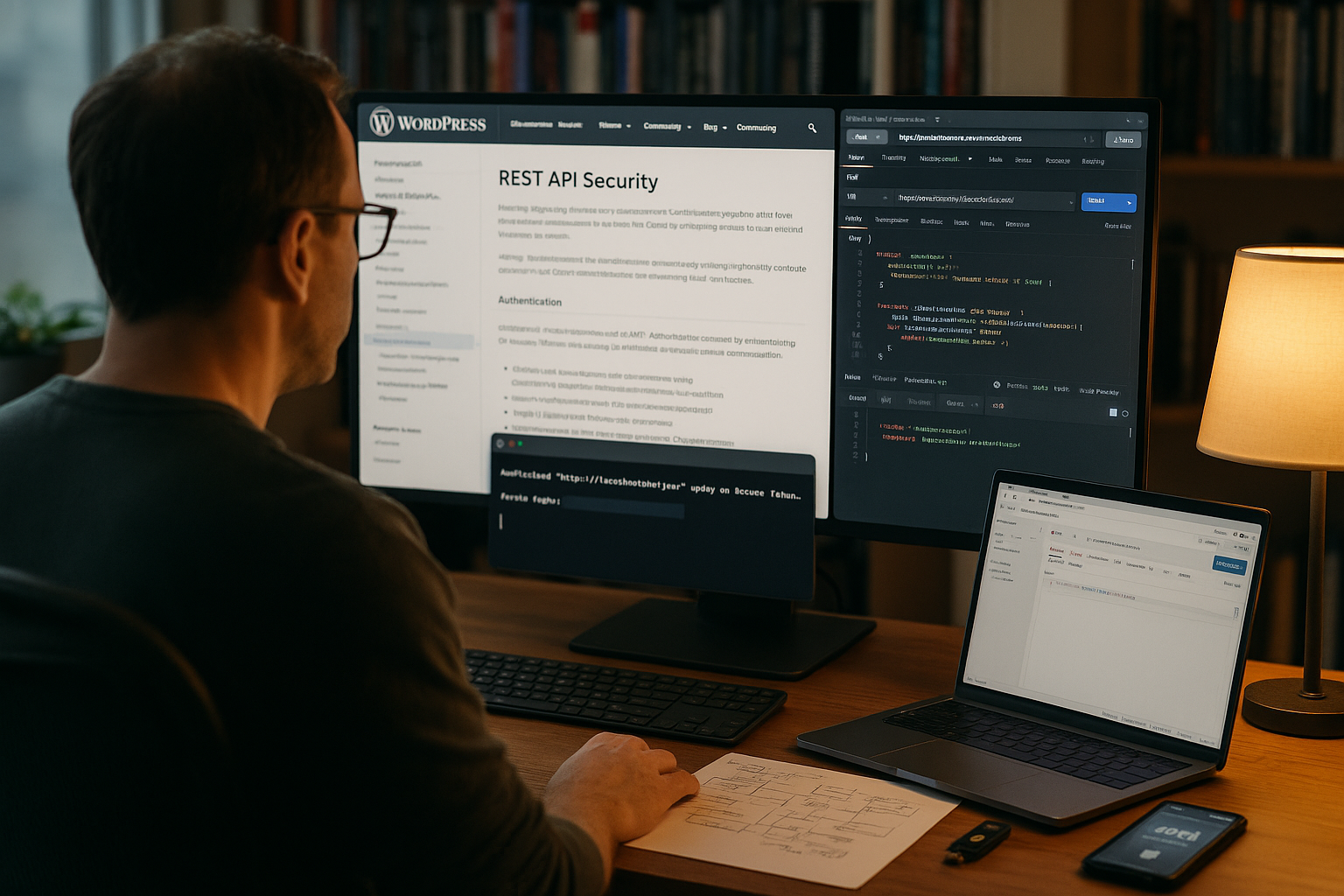
The WordPress REST API provides content and functions via HTTP-endpoints, which I address with GET, POST, PUT and DELETE. For example, I read posts via /wp-json/wp/v2/posts or create new posts with a suitable request. This is how I connect WordPress as a headless backend to frontends, mobile apps and services. This openness creates a lot of Flexibilitybut requires clear rules for access and rights. Without protection, any public endpoint could reveal information that I actually only want to show internally, such as extracts from user profiles.
Typical use cases and advantages
I use the REST API to create single-page frontends with React or Vue with content. Mobile apps use it to access posts, media and user actions without loading the classic WordPress theme. In integrations, I exchange structured data with CRM, store or analytics. Automations also benefit: A service creates posts when a form delivers new leads. All of this works efficiently as long as I only open each endpoint as far as the Task needs.
Risks: Where interfaces become vulnerable
Open endpoints invite you to read sensitive data. Data if I do not set any hurdles. Write access without authorization can delete content, change accounts or generate spam. If checks are missing, attackers can smuggle in malicious code via unfiltered parameters. Without encryption, tokens or sessions can be read, which enables subsequent access. I keep in mind that every convenience function creates new Ways of attackif I don't secure them.

Auth methods in comparison
I select the authentication to match the UsecaseI use the WordPress login session on the same domain, and I use application passwords for server-to-server integrations. For apps with many user roles, I use OAuth 2.0 or JWT so that tokens clearly separate who is allowed to do what. I continue to define rights via roles and capabilities and check them in the code with current_user_can(). This way, I ensure that sensitive endpoints are only accessible to authorized Persons are visible.
| Method | Use | Security level | Disadvantage | Suitable for |
|---|---|---|---|---|
| Cookie-Auth | Same Domain | High for HTTPS | No CORS-free cross-domain access | Backend UI, own subpages |
| Application Passwords | Server-to-server | Good for IP restriction | Basic auth without token scopes | Integrations, Jobs, Workers |
| OAuth 2.0 | External Apps | Very good with scopes | Setup more complex | Mobile, SaaS, multi-client |
| JWT | APIs with tokens | Very good with correct signature | Token handling and procedure | SPAs, gateways, proxies |
Check entries: Validate and sanitize
I treat every input like untrustworthy and clean up parameters immediately. For texts, emails or URLs, I use the WordPress helper functions and add my own checks. This is how I prevent SQL injection, XSS and unexpected states in hooks. I also escape output so that templates do not render dangerous values. I use the following pattern in endpoints before I process data further:
$email = sanitize_email( $request->get_param( 'email' ) );
$title = sanitize_text_field( $request->get_param( 'title' ) );
$url = esc_url_raw( $request->get_param( 'source' ) );
// further checks: length, allowed values, types

Enforce HTTPS: Secure transport
I forward every API request via HTTPSto prevent interception and manipulation. Without encryption, third parties could read tokens, cookies or content. A valid certificate and HSTS are mandatory so that clients always have secure access. In proxies and load balancers, I make sure that the headers are correct so that the app recognizes HTTPS. This keeps communication confidential and protects Meetings effective.
Restrict specific endpoints
I only open endpoints that my Usecase really needs, and block everything else. In particular, I block the user list for visitors who are not logged in. For the user endpoint, I set a permission_callback that only allows access to authorized roles. This removes sensitive routes for unauthorized requests. I use the following snippet as a starting point for a strict Release:
add_filter( 'rest_endpoints', function( $endpoints ) {
    if ( isset( $endpoints['/wp/v2/users'] ) ) {
        $endpoints['/wp/v2/users'][0]['permission_callback'] = function () {
            return current_user_can( 'list_users' );
        };
    }
    return $endpoints;
});

IP whitelisting: limiting access to partners
If only a few services have access, I define a IP-release. I block external sources across the board and only allow known addresses. For simple setups, a rule in the .htaccess on Apache is sufficient. In NGINX or firewalls, I achieve this via access lists. The example shows how I can restrict REST access to certain addresses and thus significantly reduce noise. reduce:
Order Deny,Allow
  Deny from all
  Allow from 1.2.3.4
  Allow from 5.6.7.8
Nonces: reliably fend off CSRF
I provide writing actions with Noncesso that requests only originate from legitimate interfaces. The server checks the one-time token and rejects fake requests. I create nonces in my own endpoints and expect them as headers or parameters. In this way, I prevent external sites from misusing logged-in sessions. Together with role checks, this forms an effective Protection against CSRF.
Protocols, WAF and rate limiting
I draw API calls in Logs and recognize patterns that indicate misuse. A web application firewall filters known attacks and blocks conspicuous clients. Rate limiting limits requests per minute and mitigates brute force attempts or resource floods. This compact guide helps me to get started and plan WAF for WordPress-guide. With monitoring and limits, I react faster and keep the interface for real users accessible.
Measuring the performance of the REST API
I measure response times, cache hits and error rates before working on Optimization think. Caching at object and HTTP level significantly accelerates read endpoints. For write routes, I plan lean payloads and asynchronous jobs when it suits. Useful tips for analysis can be found in this article on REST-API performance. A fast API reduces timeouts and simplifies limits because fewer resources are required per request. necessary are.
Tools and plugins for API protection
I combine Security-plugins in such a way that they complement each other without double scanning. Solutions such as Wordfence, Shield or WP Cerber offer blocklists, rate limiting and REST rules. For token-based scenarios, I rely on OAuth 2.0 or JWT plugins. A quick overview of strengths and fields of application is provided by the comparison with WordPress security plugins. For hosting, I pay attention to automatic updates, active firewall rules and reliable Backups.
Targeted control of CORS and Origins
I explicitly control cross-origin access so that only defined frontends access my API. I open GET-only requests sparingly and never allow wildcards for requests with credentials (cookies, authorization). I answer preflight requests (OPTIONS) correctly, otherwise browsers fail even before the actual request.
add_action( 'rest_api_init', function () {
    // Remove standard CORS headers and set your own
    remove_filter( 'rest_pre_serve_request', 'rest_send_cors_headers' );
    add_filter( 'rest_pre_serve_request', function ( $served, $result, $request, $server ) {
        $origin = $_SERVER['HTTP_ORIGIN'] ?? '';
        $allowed = [ 'https://app.example.com', 'https://admin.example.com' ];
        header( 'Vary: Origin', false );
        if ( in_array( $origin, $allowed, true ) ) {
            header( 'Access-Control-Allow-Origin: ' . $origin );
            header( 'Access-Control-Allow-Credentials: true' );
            header( 'Access-Control-Allow-Methods: GET, POST, PUT, DELETE, OPTIONS' );
            header( 'Access-Control-Allow-Headers: Authorization, Content-Type, X-WP-Nonce' );
        }
        return $served;
    }, 11, 4 );
} );
This is how I keep CORS traceable and document which clients are allowed to access it. I roll out changes to Origins synchronously with frontend deployments.
Register your own endpoints securely
I register routes with clear Authorizationsdefined parameters and strict validation. The permission_callback is my gatekeeper and must never return true without having checked who and what is accessing it.
add_action( 'rest_api_init', function () {
    register_rest_route( 'my/v1', '/lead', [
        'methods' => 'POST',
        'callback' => function ( WP_REST_Request $request ) {
            $email = sanitize_email( $request->get_param( 'email' ) );
            if ( empty( $email ) ) {
                return new WP_Error( 'invalid_email', 'Email is missing or invalid', [ 'status' => 422 ] );
            }
            // processing ...
            return new WP_REST_Response( [ 'ok' => true ], 201 );
        },
        'permission_callback' => function () {
            return current_user_can( 'edit_posts' );
        },
        'args' => [
            'email' => [
                'required' => true,
                'sanitize_callback' => 'sanitize_email',
                'validate_callback' => function ( $param ) {
                    return is_email( $param );
                },
            ],
        ],
    ] );
} );
I use args to describe parameters and return consistent status codes (201 for creation, 400/422 for incorrect entries, 403/401 for missing authorization).
Schemas, _fields and data minimization
I describe answers with JSON schemaso that clients know which fields are coming. At the same time, I minimize data: by default, I only send what is absolutely necessary and consistently remove sensitive fields.
add_filter( 'rest_prepare_user', function ( $response, $user ) {
    if ( ! is_user_logged_in() ) {
        $data = $response->get_data();
        unset( $data['email'], $data['link'] );
        $response->set_data( $data );
    }
    return $response;
}, 10, 2 );

// Deliberately release your own fields:
register_rest_field( 'post', 'teaser', [
  'get_callback' => function ( $obj ) {
      return get_post_meta( $obj['id'], 'teaser', true );
  },
  'schema' => [
      'description' => 'Short teaser text',
      'type' => 'string',
      'context' => [ 'view' ],
  ],
] );
I recommend the _fields parameter on the client side to further reduce responses, e.g. /wp-json/wp/v2/posts?_fields=id,title,link.
Plan versioning and deprecation
I add my own namespaces with version numbers (e.g. my/v1) and hold back breaking changes until a new version is available. I deprecate fields at an early stage: mark them first, then remove them in a later version. In responses, I optionally set notes in custom headers (e.g. Deprecation: true), document the behavior and give clients time for the changeover.
Error handling, status codes and correlation
I provide clear errors without revealing internal details. Details end up in the log, not in the client. I also assign a request ID to correlate processes between the log and the client.
add_filter( 'rest_request_after_callbacks', function ( $response, $handler, $request ) {
    $rid = wp_generate_uuid4();
    if ( $response instanceof WP_REST_Response ) {
        $response->header( 'X-Request-ID', $rid );
    }
    // Logging: do not persist sensitive data, limit retention
    error_log( sprintf( 'REST %s %s - %s', $request->get_method(), $request->get_route(), $rid ) );
    return $response;
}, 10, 3 );

// Create error consistently:
return new WP_Error( 'forbidden', 'Access denied', [ 'status' => 403 ] );
I pay attention to GDPR: Pseudonymized logs, short retention period and only necessary metadata.
Implement rate limiting on the server side
I implement simple limits directly in WordPress and add them at proxy/WAF level. This is how I slow down bots while real users can continue to work. I allocate a small budget per route and IP.
add_filter( 'rest_authentication_errors', function ( $result ) {
    $route = $_SERVER['REQUEST_URI'] ?? 'unknown';
    $ip    = $_SERVER['REMOTE_ADDR'] ?? '0.0.0.0';
    $key   = 'rl_' . md5( $ip . '|' . $route );
    $hits  = (int) get_transient( $key );
    $limit = 60; // z. B. 60 Requests pro 60 Sekunden und Route
    if ( $hits >= $limit ) {
        return new WP_Error( 'rate_limited', 'Zu viele Anfragen', [ 'status' => 429 ] );
    }
    if ( 0 === $hits ) {
        set_transient( $key, 1, 60 );
    } else {
        set_transient( $key, $hits + 1, 60 );
    }
    return $result;
} );
I can use response headers (X-RateLimit-*) to show clients their budget. For large setups, I prefer Redis/Proxy-Limits to keep the load off WordPress.

Token management, sessions and cookies
I protect sessions with secure cookie flags (Secure, HttpOnly, SameSite) and enforce HTTPS. I treat application passwords like passwords: only use them on the server side, rotate them, revoke them immediately when changing roles. For OAuth, I use short access tokens and refresh tokens, ideally with PKCE for public clients. I sign JWTs strongly, avoid excessively long runtimes and do not store them permanently in local storage. I use nonces for CSRF defense in browser contexts and do not replace authentication.
Infrastructure, proxies and real IPs
Behind load balancers, I make sure that WordPress recognizes HTTPS correctly and that the real client IP is available. I only validate X-Forwarded-For with trusted proxies, otherwise I open spoofing doors. For IP restrictions, I use the original IP provided by the proxy, not just REMOTE_ADDR. I also monitor HSTS, TLS versions and secure cipher suites. Misconfigurations at this point otherwise render any Applayer protection ineffective. toothless.
Safely accept webhooks and idempotence
When external services send webhooks, I check signatures, timestamps and idempotence. This is how I prevent replay attacks and double processing.
add_action( 'rest_api_init', function () {
    register_rest_route( 'my/v1', '/webhook', [
        'methods' => 'POST',
        'callback' => function ( WP_REST_Request $req ) {
            $sig = $req->get_header( 'X-Signature' );
            $ts = (int) $req->get_header( 'X-Timestamp' );
            $body = $req->get_body();
            if ( abs( time() - $ts ) > 300 ) {
                return new WP_Error( 'stale', 'time window exceeded', [ 'status' => 401 ] );
            }
            $calc = hash_hmac( 'sha256', $ts . '.' . $body, 'my_shared_secret' );
            if ( ! hash_equals( $calc, $sig ) ) {
                return new WP_Error( 'invalid_sig', 'signature invalid', [ 'status' => 401 ] );
            }
            $idemp = $req->get_header( 'Idempotency-Key' );
            if ( $idemp && get_transient( 'idemp_' . $idemp ) ) {
                return new WP_REST_Response( [ 'ok' => true, 'replayed' => true ], 200 );
            }
            // ... Processing ...
            if ( $idemp ) {
                set_transient( 'idemp_' . $idemp, 1, 3600 );
            }
            return new WP_REST_Response( [ 'ok' => true ], 202 );
        },
        'permission_callback' => '__return_true', // Auth by signature
    ] );
} );
I strictly separate external secrets per partner and rotate them regularly. I log events minimally and without payloads to protect data privacy.
Tests, fuzzing and regular audits
I keep Postman/Insomnia collections up to date and automate them in CI. I use unit tests (rest_do_request) to check authorizations and validations for every change. Fuzzing approaches uncover edge cases before real users fail. I also use staging to test CORS, caches, proxies and error patterns (e.g. 429, 401, 403) so that runbooks and alarms work in an emergency.

Briefly summarized
I use the WordPress REST API specifically and keep the Attack surface small. My order remains constant: authenticate, authorize, validate, encrypt, limit, monitor. I only enable endpoints when I really need them and I document the rules. I use logs, limits and clean roles to identify anomalies early on. Tools help with implementation, and I am responsible for making secure decisions itself.