 Skip to content
Many hosting setups only provide IPv4 despite activated IPv6 entries, which immediately IPv6 hosting problems clients send via IPv6, servers respond via IPv4 and events cannot be clearly assigned. I see the same chain of causes again and again in audits: missing dual stack, inadequate router advertisements, faulty AAAA records and overlooked firewall rules that IPv6 secretly block.
Key points
I will briefly summarize the following key topics and highlight the most important keywords before going into detail.
- Dual stack is often missing or works inconsistently.
- Router Advertisements and DHCPv6 are set incorrectly.
- Tunnel conceal gaps and open up attack surfaces.
- AAAA-records refer to unbound services.
- Legacy hardware and costs are slowing down the changeover.

Why dual stack is often missing
I often come across hosts where IPv6 has been activated in the interface, but services are only available internally at IPv4 are bound. This is caused by default configurations that do not activate IPv6 sockets or service templates that have never been adapted for dual stack. This results in mismatches: applications do not listen to ::1, the web server delivers AAAA and connections fail sporadically. If you want to check this specifically, set clear list address parameters for each service and monitor both protocol families equally. You can find practical instructions at Dual stack in practice, which shows typical stumbling blocks in routing and service bindings. In the end, what counts is a consistent Address design, which treats the app, reverse proxy and firewall identically.
Server network: DHCPv6, SLAAC and RA
Without valid router advertisements, clients do not build IPv6-address, no matter how cleanly the server is configured. I first check whether the upstream has „ipv6 unicast routing“ active and whether the RA flags match the desired operating mode. The M flag is required for stateful, while correct prefix announcements and reachability timers are sufficient for SLAAC. Suitable prefix lengths are often missing or the RAs do not arrive in the wrong VLAN. As soon as RA and DHCPv6 work properly, „mystical“ failures, where only every second connection works, disappear. A structured RA/DHCPv6 test with packet captures helps here. Clarity.

Safety risks due to tunnel technologies
tunnels such as 6to4 or Teredo alleviate the lack of native IPv6, but they hide real structural problems. I often see a lack of source validation there, which favors spoofing and strange paths via foreign relays. This leads to inconsistent latencies and errors that are difficult to reproduce in productive workloads. If you cannot avoid tunnels at all, you should only choose trustworthy relays, use strict filters and plan for the transition to native routing. In hosting environments with VPS or bare metal, the situation quickly deteriorates if guest admins also switch experimental tunnels. My advice: Native Connectivity prioritize tunnels only as a temporary crutch.
DNA and AAAA: typical stumbling blocks
AAAA records without matching service bindings generate immediately Accessibility problems. The check is simple: Does the web server also listen for :: and does it deliver the certificate identically for both protocols? Many firewalls behave differently in both directions because IPv6 policies are missing, even though the IPv4 rules are correct. Another classic: PTR is missing for the IPv6 address, which leads to rejections for mail servers. I therefore always add AAAA, A, PTR and SPF/DMARC consistently in audits and then check v4/v6 explicitly with curl and dig. Anyone planning the introduction will benefit from a clean to-do list as in IPv6 hosting preparationso that no Little things be overlooked.
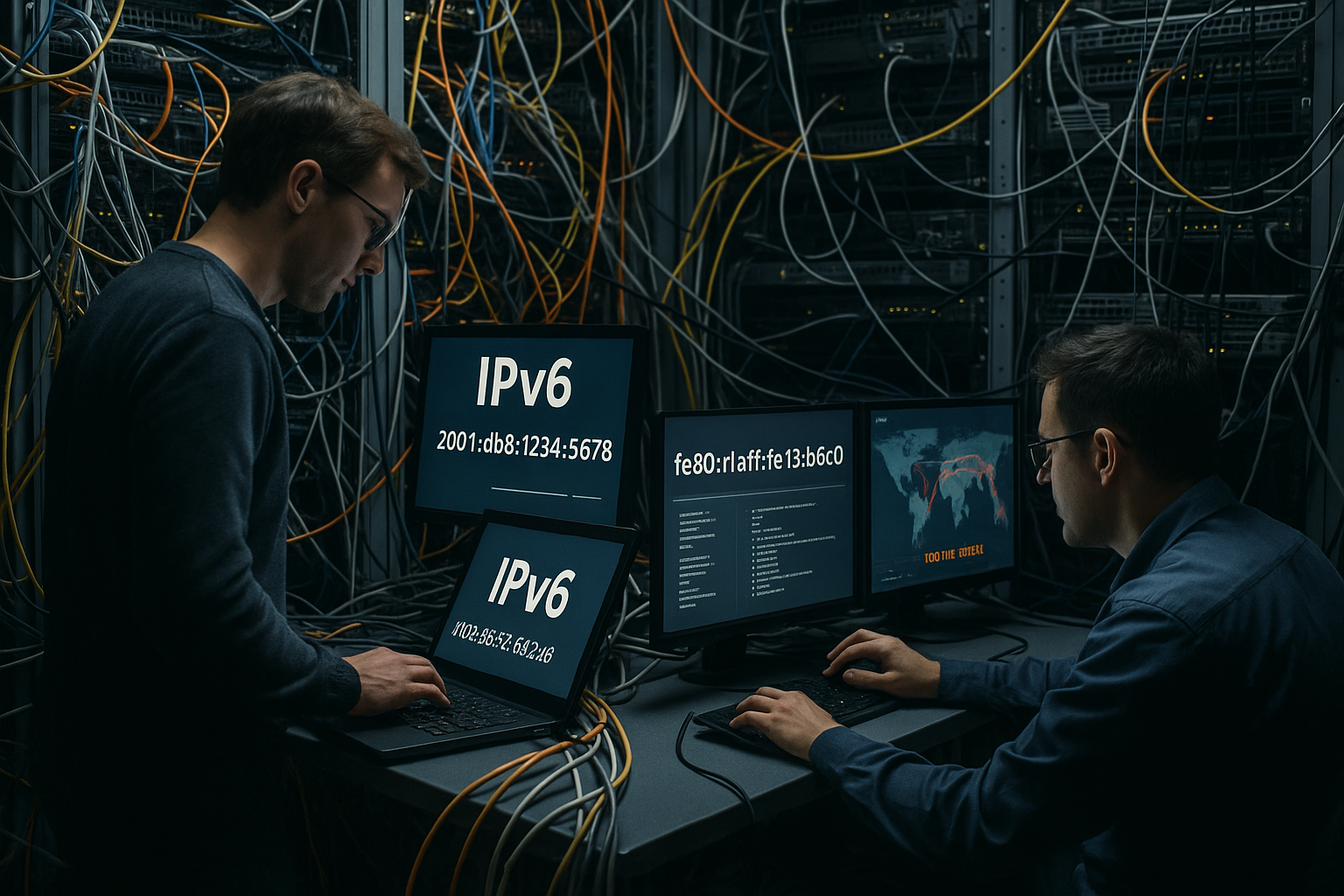
Legacy hardware and cost issues
Many racks run with older switches that only have limited knowledge of IPv6 features, which makes real Functionality prevented. Firmware updates sometimes help, but replacements or additional line cards are often required. In addition, there are labor-intensive change windows in which routing has to be rebuilt and documented. Companies postpone these projects until IPv4 workarounds become too expensive or customers report outages. I plan such changeovers with a clear milestone list, backout plan and measuring points for throughput, latency and packet loss. This way, the risk remains calculable and the subsequent Maintenance easier.
Monitoring and testing: what really counts
Without continuous measurements, IPv6 errors remain invisible. I set up synthetic checks for v4/v6 in parallel, measure TLS handshake, DNS resolution and HTTP response times separately. Packet captures for RA/DHCPv6 show whether address assignment is stable. I also query certificate chains via v6 to detect old ciphers or incorrect SNI configurations. A fixed drill-down plan saves time: DNS first, then routing, then service bindings, and finally app layers. If you do this consistently, you will spot problems early and prevent annoying Incidents.

IPv6-only vs. dual stack: pragmatic choice
A pure IPv6 setup sounds elegant, but many services and clients are still dependent on IPv4. In mixed environments, dual stack remains the realistic choice until upstream and applications are natively v6-capable. IPv6-only is suitable for isolated systems, APIs behind proxies or new microservices with controlled dependencies. I decide pragmatically: where external reach counts, I prioritize dual stack, where I have full control, IPv6-only can make sense. Good considerations and migration paths are described in the article IPv6-only in hosting with clear advantages and disadvantages. Ultimately, what counts is compatibility, not a Dogma.
Practical guide: Step by step to clean implementation
I start every project with a consistent Address planPrefix assignment, VLAN assignment, documentation. Then I activate „ipv6 unicast-routing“, set RA correctly and test SLAAC/DHCPv6 in a staging network. I then bind services to both stacks, check certificates and match logging formats. Firewalls receive dedicated IPv6 policies with the same semantics as IPv4. Finally, I go through the DNS checklist and validate with tools curl -6/-4, dig AAAA/A and traceroute6. The guide is suitable for preparation IPv6 hosting preparation, so that the Introduction runs in an orderly fashion.
ICMPv6, PMTUD and MTU traps
Many „HTTP hangs“ tickets turn out to be PMTUD-problems: IPv6 routers do not fragment, instead a „Packet Too Big“ signals the required MTU. Becomes ICMPv6 filtered across the board, these signals disappear - blackholes are created. I therefore specifically open ICMPv6 types instead of blocking them across the board and check the effective MTU on tunnels. A quick field test: via ping6 with increasing packet size (Do-Not-Fragment is implicit) and simultaneous observation of the „Packet Too Big“ responses. For persistent paths MSS-Clamping at the edge to keep TCP segments smaller. Important ICMPv6 types that I never block:
- Type 2: Packet Too Big (essential for PMTUD)
- Type 133-136: RS/RA/NS/NA (neighborhood and auto-configuration)
- Type 1/3/4: Destination/Time/Parameter problems for clean error handling
If you implement these basics, you will eliminate one of the most common IPv6 faults that is difficult to explain.
First-hop security: RA-Guard, ND-Inspection and uRPF
In the access layer, many Malfunctions, when hosts send uncontrolled RA or spoof addresses. I activate on capable switches RA-Guard and DHCPv6-Guard, so that only defined uplinks distribute autoconfiguration packages. ND-Inspection (Neighbor Discovery) prevents malicious hosts from taking over foreign addresses. On the router I set uRPF or at least strict egress filters to prevent source spoofing in v6 as well. In large L2 domains MLD snooping, to keep multicast traffic (which v6 uses intensively) in check. These first-hop measures significantly reduce susceptibility to interference and make address conflicts and „ghost RAs“ traceable - a must in shared hosting environments.
Application level: typical config traps
Many apps are „v6-capable“, but fail due to details. I first check whether the server is really [::] and not only on 0.0.0.0. In web servers I set separate List statements for v4/v6 and match TLS policies. Proxies must X-Forwarded-For and PROXY headers with IPv6 correctly; regexes in WAFs/rate limits should be : in addresses. Be careful with literal IPs in URLs: IPv6 needs square brackets (e.g. https://[2001:db8::1]/). In log formats, I ensure uniform fields so that the parser and SIEM do not truncate IPv6. And I make sure that systemd sockets, Java/Node runtimes and databases do not secretly only use inet4 activate - small hooks, big effect.

Containers, Kubernetes and cloud services
Kubernetes in dual-stack mode requires not only a suitable K8s version, but above all a CNI plugin with v6 support. I plan v4/v6 service and pod CIDRs cleanly and check whether ingress controllers, load balancers and health checks also work via v6. NodePort, ClusterIP and ExternalTrafficPolicy behave differently depending on the stack - tests in staging are mandatory. In clouds, IPv6 often depends on VPC/VNet features, load balancers and security groups. I make sure that autoscaling provisions new nodes consistently with v6 prefixes and that Reverse proxies before that (CDN/WAF) actually pass IPv6 through to the app.
Mail and anti-abuse via IPv6
At Mail dispatch I often come across reputation and rDNS via IPv6. Without a matching PTR for the sender address, many MX servers reject connections. SPF/DKIM/DMARC are protocol agnostic, but I only publish AAAA for outbound when the v6 sender IP is „warmed up“. For rate limits and abuse prevention I set policies to /64-base, not just /128, as privacy extensions rotate addresses. MTA configs (e.g. inet_protocols = all) and HELO/EHLO hostnames must be consistently resolvable via v6. I explicitly test delivery via -6/-4 and check whether incoming spam filters respect v6 lists. This keeps deliverability stable - without nasty surprises after switching on AAAA.
NAT64/DNS64, 464XLAT and Happy Eyeballs
Where IPv6 only makes sense, I additionally switch NAT64/DNS64, so that v6 clients can reach old v4 targets. I check apps for hard v4 literals that bypass DNS64 and plan 464XLAT if endpoints require it. On the client side „Happy Eyeballs“ (modern stacks prefer the faster protocol), how requests run - that's why I always measure separately and make sure that v6 doesn't „act slower“. On the server side, there are rarely reasons to prefer v4; more important is a symmetrical Accessibility, consistent certificates and clean DNS so that eyeballs can reliably tip to v6.
Addressing: ULA, GUA, privacy and renumbering
I set for server GUAs (Global Unicast) and use ULA only for internal, non-routable areas - I consistently avoid NAT66. For hosts with changing addresses, I activate stable-privacy (instead of EUI-64), while services get fixed /128. I use point-to-point links with /127, to prevent ND exhaustion. It is important to have a plan for RenumberingPrefix delegation, automatic rDNS generation and playbooks that adapt routes/ACLs idempotently. I calculate one /64 per VLAN, clearly document exceptions (e.g. loopbacks) and keep naming, NTP and management IPs v6-capable so that operating tools do not continue to run in the v4 shadow.
DDoS, filtering and capacity planning
DDoS protection must dual stack should be considered. I check whether scrubbing providers, WAF and CDN fully support IPv6 and whether Flowspec/Blackholing also applies to v6. I set rate limits and ACLs based on prefixes (often /64) in order to aggregate privacy addresses sensibly. On edge firewalls, I open ICMPv6 in a controlled manner so that protection mechanisms do not break PMTUD. Capacity planning considers both families: logs, metrics and cost drivers (e.g. egress) should make v6 shares visible. If you ignore v6, you will notice load peaks too late - especially if Happy Eyeballs directs many clients to v6 in the event of performance differences.
Geolocation, analytics and A/B tests
One aspect that is often overlooked is Geolocation for IPv6. Databases now cover v6 well, but deviations are greater than with v4. I compare geo and ISP mapping in metrics separately for v4/v6 and check whether feature flags, WAF rules and regional content apply identically. For A/B tests family-related segmentation helps to avoid bias. Consent/tracking scripts should also be accessible via v6 - otherwise conversions will be worse, even though only the analytics endpoint did not have AAAA. Clean measurements prevent misinterpretations and expensive wrong decisions.
Automation and documentation
IPv6 only scales with Automation. I keep prefixes, VLANs, rDNS zones and firewall policies in IaC templates and seal changes via deploy pipelines. Unit tests check whether for new services v4/v6 bindings are available, RA/DHCPv6 works on staging hosts and AAAA/PTR are generated automatically. Generative rDNS masks for whole /64 prefixes and playbooks that run through renumbering without manual work are particularly helpful. A good documentation also contains „don'ts“: no hard filtering of ICMPv6, no tunnels as a permanent solution, no one-sided v6 proxies. This keeps operations manageable in the long term.
Fault diagnosis: recognizing typical symptoms
Many report „sometimes it works, sometimes it doesn't“ - behind this are clearly separable Symptoms. If Ping6 works but HTTP hangs, I first check the MTU and ICMPv6 filter. If there is no address via SLAAC, RA is usually missing or the prefix is incorrect. If mail delivers errors via v6, PTR and matching SPF/DMARC entries are often missing. If conversion tracking aborts, address families often collide between client and server. The following table helps with quick assignment and remedy.
| Problem | Symptom | Probable cause | Test | remedy |
|---|---|---|---|---|
| No dual stack | AAAA available, service not accessible | Service only binds to IPv4 | ss/netstat: Check listener | Activate v4/v6 bindings |
| Missing RA/DHCPv6 | No v6 address on the host | RA flags or prefix incorrect | Packet capture on RA | Set RA/M flag correctly |
| Firewall blocks v6 | Ping6 ok, HTTP timeout | No IPv6 policy | curl -6 against port 80/443 | Add rules for IPv6 |
| DNS wrong | Inappropriate AAAA/PTR | Record points to wrong host | check dig AAAA/PTR | Synchronize records and bindings |
| Tunnel relays | Fluctuating latency | Path via external relays | traceroute6 Analysis | Prioritize native routes |
Provider selection and contract details
I make sure that providers offer verifiable dual stack-experience, clear prefix allocation and guaranteed RA/DHCPv6 function. Contract annexes should specify IPv6 policies, monitoring points and response times for v6-specific faults. Support teams must be proficient in v6 tracing tools and provide logs separated by address family. Equally important: planned maintenance windows and migration paths away from tunnels towards native routing. Checking these points will reduce downtime and measurably speed up subsequent conversions. In this way Error series that often arise from unclear responsibilities.

Briefly summarized
The most IPv6-Hosting errors are rooted in a missing dual stack, empty RA, incomplete firewall rules and inconsistent DNS. I solve them systematically: check the address plan and RA, bind services to both stacks, consolidate DNS, then activate monitoring. Tunnels serve at most as an interim solution, native routes remain the goal. Eliminating legacy hurdles step by step ensures clean connectivity and avoids follow-up costs. In the end, a structured roadmap pays off: fewer Failures, better measured values, satisfied users.


