Skip to content
With the increasing complexity of modern web servers, targeted Plesk Firewall administration is becoming an indispensable task for every hosting environment. The Plesk Firewall provides targeted protection against unauthorized access and offers flexible configuration options for the targeted control of server traffic. More and more administrators are relying on the intuitive interface to clearly structure their protection mechanisms and thus be able to react quickly to security incidents. In addition, the Plesk Firewall enables even less experienced beginners to ensure proper basic protection with precise default settings - without having to familiarize themselves with the intricacies of iptables or the Windows Firewall.
Key points
- Granular rules: Control of data traffic at service level for maximum control
- Cross-platform: Supports both Linux and Windows servers
- Web Application Firewall: Protection against typical web attacks with individual customization options
- Finely adjustable logging: Monitoring security-relevant events in real time
- Possible combinations: Integration with IDS, encryption and backups
The granular rules are a decisive factor in ensuring maximum flexibility. This makes it possible, for example, to set exactly which IP group may have access to SMTP or FTP and which ports remain accessible for dynamic services such as SSH or external database connections. At the same time, cross-platform compatibility offers administrators the security of knowing that the configuration principles will be retained even if the server environment is changed (e.g. from a Linux to a Windows server). This means that tried-and-tested security guidelines can be transferred without major effort.
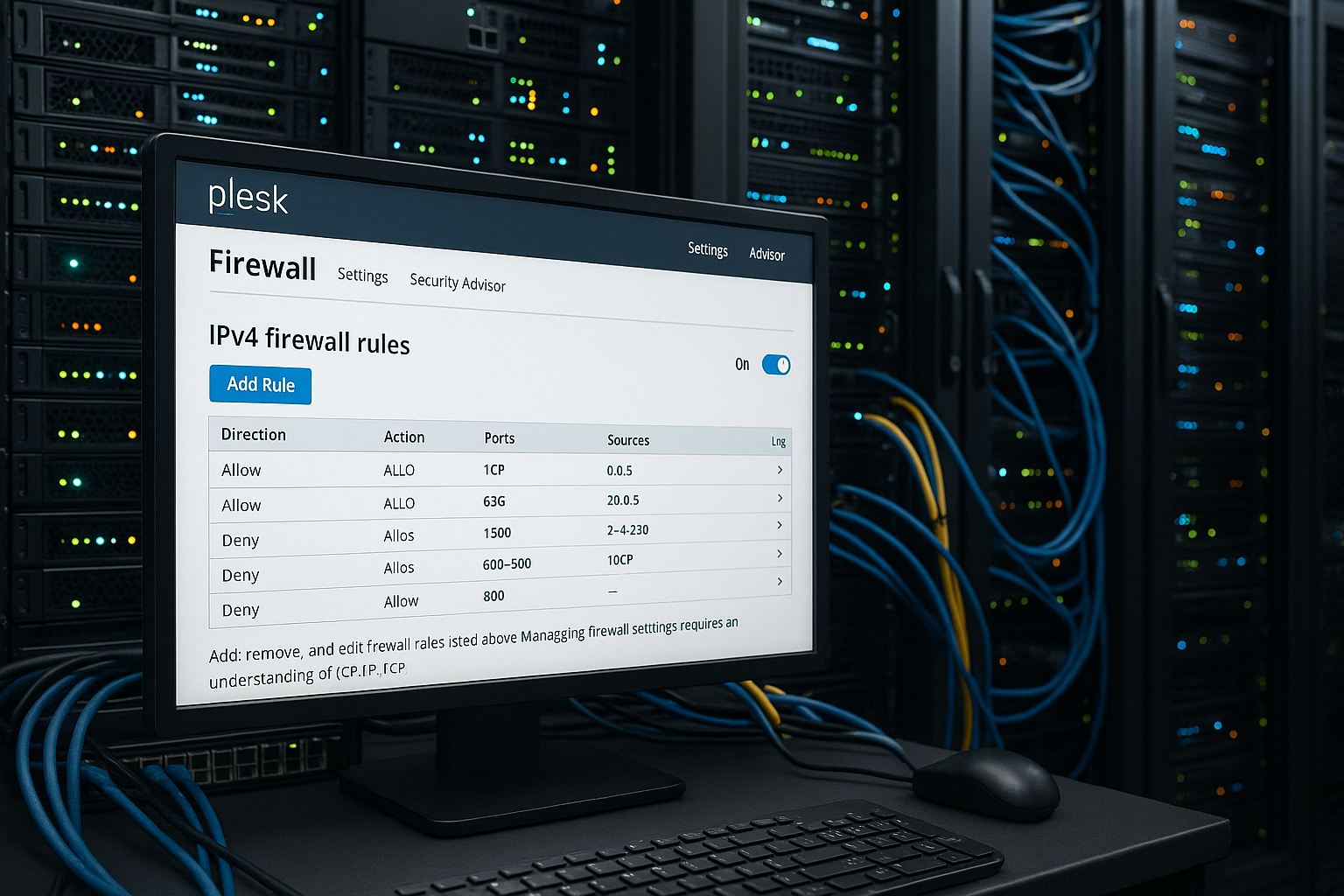
Structure and functionality of a Plesk firewall
The Plesk Firewall combines a strong basic configuration with granular control functions for incoming and outgoing network traffic. About Guidelines the behavior is defined globally, while Rules cover specific ports and services. This creates a multi-level security concept that first checks whether a connection is blocked or allowed based on general specifications - only then does the fine-tuning take effect using the individual rules you have created.
For example, policies allow all incoming connections to be completely blocked, while rules specifically allow access to SMTP or FTP. This combination offers the ideal balance of security and functionality. A solid basic block protects against automated attacks, while only explicitly enabled ports remain the gateway to the world.
Compared to the system firewall of an operating system, the Plesk firewall allows significantly more user-friendly administration - ideal for administrators who do not want to compromise between efficiency and control. This advantage is particularly evident in environments with frequently changing services, changing customer domains and dynamically changing requirements. Tedious adjustments in complicated configuration files are no longer necessary and are replaced by a clear interface.
In addition, the Plesk Firewall offers advanced administrators the option of integrating individual scripts or automated deployment processes. This means that changes to the firewall policy can be seamlessly integrated into CI/CD workflows - ideal for DevOps teams who want to roll out new versions of applications including customized firewall adaptations.
How to set up the Plesk firewall efficiently
The configuration takes place directly in the Plesk Panel. After activating the firewall module, rules can be managed via the graphical user interface. The configuration can also be transferred to other systems via CLI. This means that the Plesk firewall is not only suitable for simple standard setups, but also for heterogeneous landscapes that may use scripts in the background.
For individual use cases, the firewall offers the option of creating new rules with specific protocols, source or destination IP addresses and ports. It should always be checked whether required administrative access such as SSH is still permitted. Especially when changes are made during operation, it is advisable to have an up-to-date server and configuration backup ready so that you can quickly revert to the old status if necessary.
If you Transfer administrative rights to customersThe same interface can be used to give these user roles access to restricted firewall functions. This allows you to retain full control, while customers are given certain freedoms for their projects. Make sure to distribute the competencies precisely so as not to disclose any information or authorizations that are not necessary for the customer.
Another efficient procedure is to create templates for specific scenarios. For example, if you know that similar port settings are repeated in many projects, you can define these once and secure newly used servers with just a few clicks. This standardization makes particular sense if similar CMS installations or web stores are hosted, because sometimes a plugin requires certain ports or a web service needs to be accessible.

Plesk Firewall on Linux vs. Windows servers
While the interface hardly differs, there are technical differences in the implementation of the Plesk firewall depending on the operating system. Plesk uses iptables on Linux and the native Windows firewall on Windows. In both cases, however, it is important that the user notices as little as possible of the system-internal differences and can instead make firewall settings in the usual way.
Both systems allow the control of incoming connections, but functions such as ICMP control (for ping and traceroute) are only explicitly available under Windows via the Plesk GUI. On Linux, on the other hand, such fine details can often only be controlled via the CLI or additional scripts. Nevertheless, especially in test scenarios, you should pay attention to whether ping is needed under certain circumstances, for example to perform network diagnostics quickly. If you want to exploit the potential here, you can usefully combine the Plesk firewall with manual iptables extensions.
Especially when used on Windows servers, there can be advantages if other Windows-specific security functions are synchronized. For example, extended filter rules, IP blocklist functions and Active Directory policies can be integrated. On the Linux side, on the other hand, iptables modules can be used to create even more granular rules, for example to block certain packets based on packet content or connection frequency. This flexibility is often the reason why many hosting providers rely on Linux - without wanting to forego the convenience of the Plesk firewall.
| Function | Linux | Windows |
|---|---|---|
| Backend technology | iptables | Windows Firewall API |
| GUI rule management | Yes | Yes |
| ICMP control | Only via CLI | Yes |
| CLI script integration | Yes | Limited |
If you use both systems side by side, you should also pay attention to the respective logging. Because even if the Plesk interface is similar on both sides, the evaluation of the log files can differ. On Linux, log files are often stored in /var/log, while Windows stores these events in the event viewer. A central log management system is therefore recommended in order to maintain a holistic view.
Targeted use of the Web Application Firewall (WAF)
The integrated WAF protects your applications against SQL injections, XSS and scanning attempts. It is rule-based and can be used in three operating modes: ON, OFF and Detection only. ON mode is recommended for productive environments, provided no specific error messages occur. With high traffic volumes or in a test phase, the "Detection only" variant can be useful because you can then detect ongoing attacks without unintentionally rejecting legitimate traffic.
Administrators can deactivate specific rules if the WAF blocks legitimate traffic. This is done via the rule ID directly in the log. For example, it is possible to deactivate individual signatures if a special plug-in of a web application sends conspicuous requests to the outside world that the general WAF rule classifies as a potential attack.
Not every application behaves in accordance with the standard. It is therefore worth defining customized rule sets for certain applications - or defining them in advance via Configure ModSecurity specifically. Particularly in the case of self-developed APIs or very specific data traffic, it should therefore be considered whether and how restrictively the WAF should react. Test runs in a staging environment can ensure that no false blocking occurs.
In addition, it is advisable to always keep in mind that although a WAF secures web traffic, it cannot cover all network protocols. Possible security gaps via services such as FTP or e-mail therefore remain a task for the classic firewall configuration. A comprehensive security strategy should therefore keep an eye on both levels.

Real-time monitoring and log analysis with Plesk
A decisive advantage of the Plesk Firewall lies in the analysis of Live protocols. By activating the real-time updates, you receive immediate feedback on blocked or permitted connections. This real-time monitoring makes it possible to detect attacks at a very early stage and react quickly in an emergency. In hectic situations, knowing whether a port scan is taking place or whether a particular service is increasingly the focus of malicious access can help.
Misdiagnoses are now a thing of the past. Administrators recognize potential vulnerabilities before they can be exploited by attacks. Logging rule violations also helps with the continuous optimization of the firewall structure. By closely examining individual rule violations, it is often possible to identify how attackers are trying to exploit certain services. In structured teams, it makes sense to document these findings in ticket systems to ensure seamless tracking.
In the live view, individual services can be actively monitored - such as email or MySQL - and targeted measures can be derived. In addition, administrators can set filters as required to see only certain events or to create a long-term analysis for critical periods. If a particular anomaly pattern is detected, the respective ports or IP addresses can be quickly blocked and further analyses can then be carried out.
Another advantage of this real-time monitoring is that it can be integrated into third-party monitoring systems. With the help of syslog functionalities or APIs, the logs can be fed into central SIEM solutions, which enables overall operational security monitoring. This allows the Plesk Panel to become part of a larger security concept in which firewalls, WAF, virus scanners and other components are evaluated holistically.
Plesk Firewall and Fail2ban: effective combination
A failed login attempt is not yet critical. If such attempts are repeated systematically Intrusion detection systems (IDS) such as Fail2ban to take automatic countermeasures. Fail2ban scans typical logs for suspicious patterns and temporarily blocks IP addresses if repeated attack attempts are detected. Thanks to the close integration with the Plesk firewall, this blocking can be more far-reaching, as it takes effect across the entire system firewall.
Especially with WordPress installations or SSH access, there is a unique synergy: the firewall blocks connections, while Fail2ban recognizes them, who, when and how often has tried to penetrate the system. This prevents a brute force attack at an early stage and even automated tools find it difficult to compromise the system. This not only minimizes the risk of data loss, but also contributes to better performance, as uninvited accesses are rejected before they occupy resources.
At this guide to Fail2ban you will find application examples and an activation description for Plesk users. When setting up the system, it is worth defining different jails (monitoring areas) - for example, separately for SSH, Plesk logins and WordPress login pages. This allows you to make full use of the system's flexibility and ensure that an incorrect login does not immediately trigger global consequences.

Sources of error and typical configuration problems
Occasionally, a new rule leads to disconnections. This is usually due to a configuration that is too strict. In such a case, check whether administrative ports or internal services are disrupted. With large projects in particular, it can easily happen that ports have to remain open for certain services that you might not think of at first, for example for remote databases. If you take a very restrictive approach here, you can easily inadvertently block authorized traffic.
A common error is blocking port 8443 - the Plesk interface runs via this port. SSH and MySQL should also not be blocked carelessly. Use SSH for emergency access to undo rule changes. Another common stumbling block is complicated port forwarding or load balancing rules, where the interaction between the Plesk firewall and external network hardware (e.g. router, switch or hardware firewall) can quickly lead to conflicts. Here it helps to keep a clear network diagram and document all relevant ports and IP addresses in it.
IPv6 should also not be neglected. Some administrators successfully block IPv4 traffic, but forget the corresponding IPv6 rules - which opens the door to attacks via this protocol. So make sure you also include the IPv6 counterpart in your security guidelines and rules so that there is no gap in your security concept.
Another typical problem is the misinterpretation of log entries. Especially when several security components work together, it can become confusing. Plesk provides a good overview, but if IDS and WAF rules are active, you have to take a close look at where a block actually comes from. Misinterpretations can easily lead to incorrect settings, for example if you think a firewall rule is to blame when it was actually the WAF or Fail2ban.
Performance optimization through lean firewall rules
Each rule checks a pattern. The more rules that apply at the same time, the greater the server load. You should therefore reduce unnecessary or overlapping rules in order to minimize the System performance to be maintained. In practice, it is often the case that administrators add more and more individual rules over time without deleting or consolidating older ones. A regular audit is worthwhile in order to keep the set of rules clear and performant.
In particularly traffic-intensive environments, a hardware firewall can be installed upstream. This relieves your Plesk firewall considerably and shifts the main work to specialized appliances. The Plesk firewall can then concentrate on fine-tuning certain services. Such a division of tasks usually leads to increased stability and minimizes latencies. In this way, resources remain available for the actual web applications.
Administrators can also think about which ports actually need to remain permanently open. A practical method is the "default deny" principle, in which all incoming connections are initially blocked and then only the ports that are required for operation are explicitly opened. If you follow this approach consistently, you can already block 80-90 % of common attacks. The minimization of the attack surface is particularly evident in automated bot attacks, which largely come to nothing.
Continuous security through backups and SSL
No matter how well your firewall is secured - never do without functioning backups. Important systems should be backed up at least once a day. Ideally, this should be automated and encrypted. Many administrators integrate local backups and an additional offsite backup so that they can fall back on an external backup in the event of a hardware failure or security incident. The recoverability of the entire system is a decisive factor for your security plan.
At the same time, an SSL/TLS certificate secures every connection. This drastically reduces the vulnerability to man-in-the-middle attacks. Plesk integrates certificate services such as Let's Encrypt directly in the panel - including renewal and automatic configuration. This makes it easy to secure even small projects with encrypted connections. This is particularly important for contact forms, login pages or sensitive customer data, as the data traffic is no longer transmitted in plain text.
If the standard SSL certificates are not sufficient, you can consider extended validations (EV certificates) or different certificates for multiple subdomains. Plesk itself only offers limited additional functions here, but the panel makes it very easy to manage additional certificates. Wildcard certificates can also be integrated quickly, for example to protect all subdomains of a project.
If you are looking for a particularly high level of security, combine consistent SSL encryption with HSTS (HTTP Strict Transport Security). This signals to browsers that this page may generally only be accessed via HTTPS. In conjunction with the firewall, this creates an infrastructure that is effectively protected against attacks at network level as well as at application and encryption level.
Summary
The Plesk Firewall offers versatile management options that are convincing both administratively and technically. Granular rules, intelligent combination with Fail2ban, automated backups and SSL configurations create a powerful security concept. It is important to keep all elements well maintained and to evaluate them regularly in order to avoid unwanted changes or outdated rules.
Effective use of the Plesk firewall lays the foundation for stable and protected server operation. Regardless of the operating system, administrators are provided with a tool that minimizes risks and at the same time looks professional - without being overwhelming. However, the firewall should never be seen as the sole "end solution", but always in conjunction with other security measures: from correct server hardening and regular system updates to the training of users who manage passwords and logins. A well-configured firewall is therefore a crucial component in ensuring a secure and efficient hosting environment in the long term.