...

WordPress backend design error (layout shot)

Today we are fixing a problem that was reported after Updates from WordPress or themes can occur. The unusable WordPress installation.

Maybe someone's seen it before. After logging in under e.g. /wp-admin the familiar WordPress Dashboard not anymore. Only all texts are displayed one below the other on the left.

This looks for instance like this:
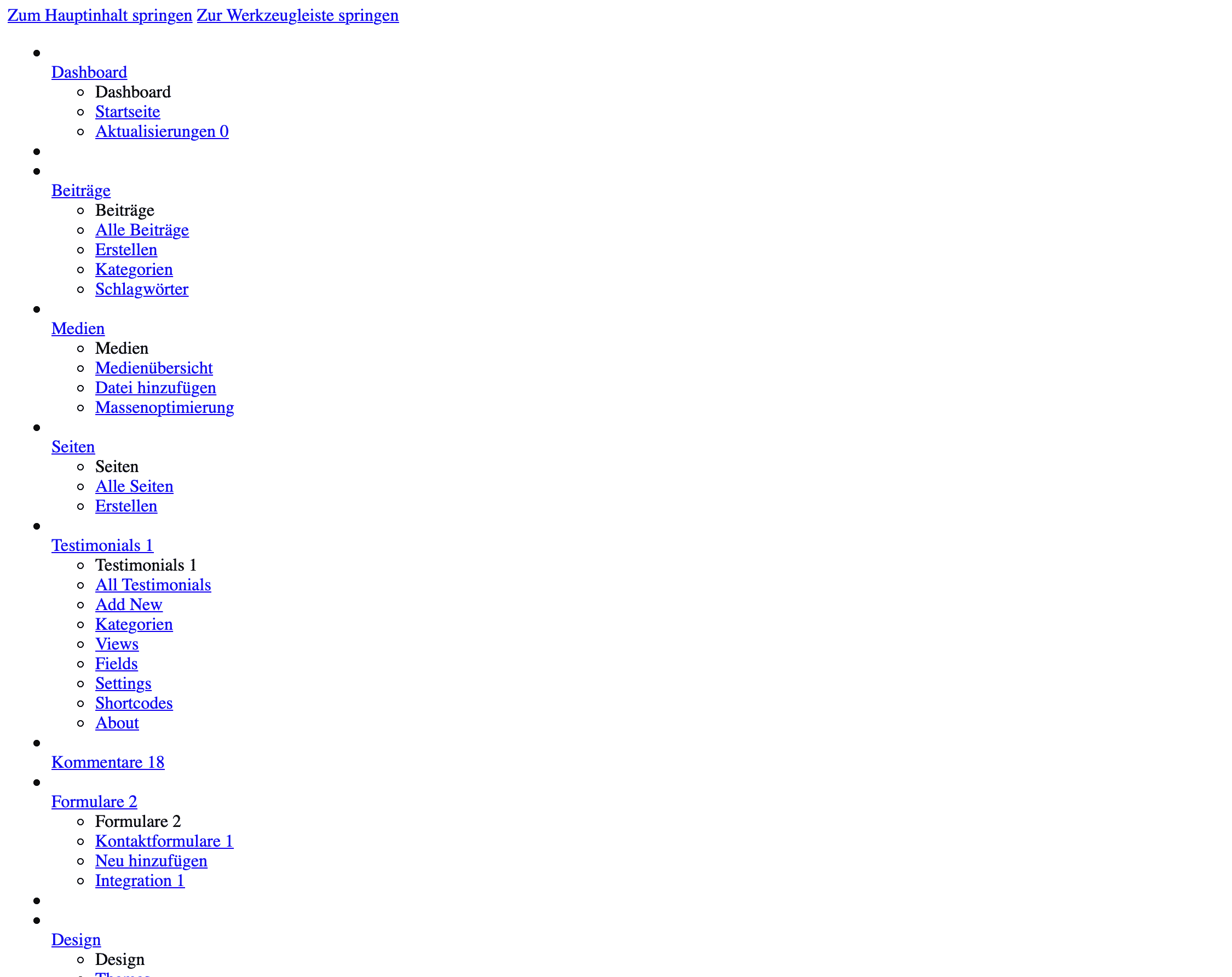
wordpress-admin-area-shattered
WordPress Dashboard with incorrect display. Mainly white background.

There are several problems that cause this. Mostly plugins are responsible for this.

Possible solutions:

  1. Disable all plugins
  2. Clear Browser Cache
  3. When the dashboard is displayed again you can activate the plugins individually.

Alternative solution:

Edit the file wp-config.php and add the following line above:

define('CONCATENATE_SCRIPTS', false);

With this setting WordPress will then load each script in the administration page individually. If one of the scripts cannot be loaded or does not work, the others will be loaded and executed anyway. This is a solution to the display problem, but it does not solve the cause.


 

Current articles

A modern network appliance on a light-colored ESD work surface, symbolizing the testing of web server infrastructure.
Plesk web server

Apache HTTP Server 2.6: What Changes Administrators Can Expect

Apache HTTP Server 2.6 is not yet available as a stable release. This article provides an overview of the development branch and highlights which configurations, modules, log pipelines, and TLS setups teams should already be testing specifically.

An administrator is checking a database upgrade process in the hosting operations room
Databases

MariaDB 12.0: Features, Update Risks, and Hosting Strategy

MariaDB 12.0 introduces new optimizer, audit, replication, and security features. For hosting platforms, however, a controlled update path is of paramount importance: the release model, package version, configuration, applications, and fallback must all be compatible.